Classroom lesson · Grades 9-12

Real or fake? (grades 9-12)

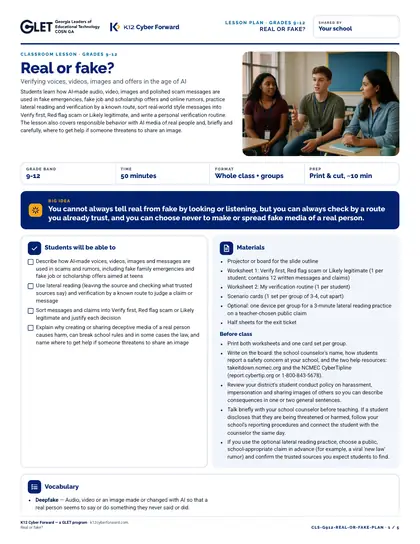
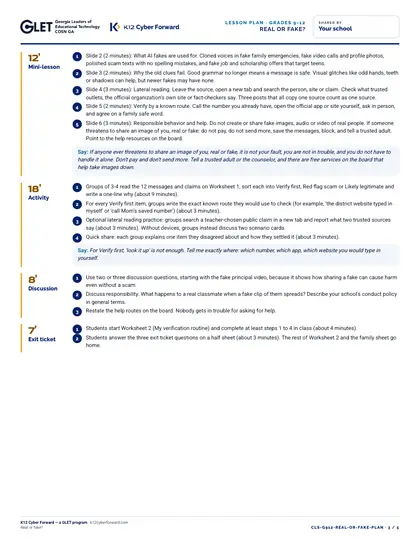
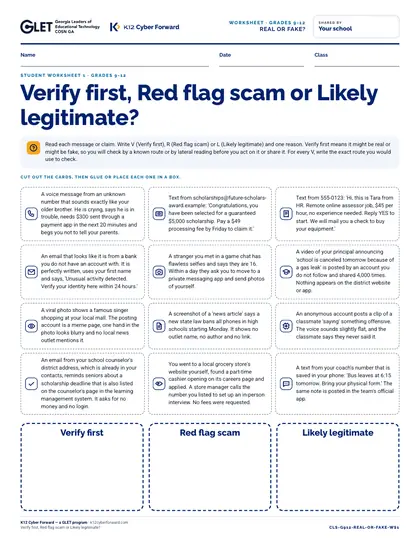
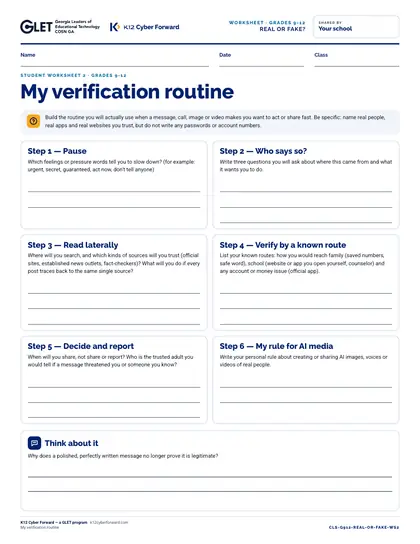
A ready-to-teach 50-minute lesson for grades 9-12: verifying voices, videos, images and offers in the age of AI. Big idea: You cannot always tell real from fake by looking or listening, but you can always check by a route you already trust, and you can choose never to make or spread fake media of a real person. Includes a teacher lesson plan with scripts, student worksheets “Verify first, Red flag scam or Likely legitimate?” and “My verification routine”, an answer key, 10 scenario cards, a 9-slide outline and a family sheet in English and Spanish.

Time to use
50-minute lesson
Audience
Teachers, Students
Grade band
Grades 9-12
Language
English and Spanish
Formats
DOCX, PDF, PPTX
First page preview of Real or fake? (grades 9-12)

What's inside

  • Lesson plan: objectives, 5-part sequence with teacher scripts, discussion questions, exit ticket, differentiation (PDF + Word)
  • Worksheet 1: Verify first, Red flag scam or Likely legitimate?
  • Worksheet 2: My verification routine
  • Teacher answer key for every worksheet, card and the exit ticket
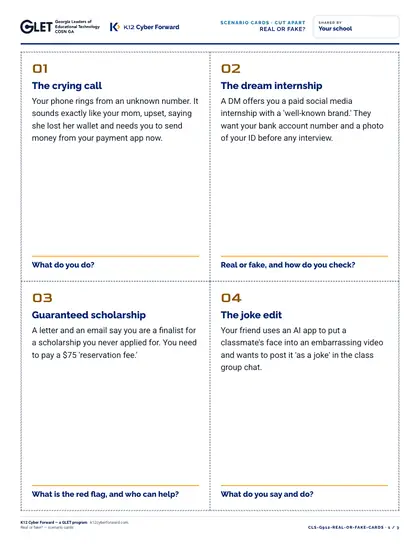
  • 10 cut-apart scenario cards
  • 9-slide outline with speaker notes (PDF + editable PowerPoint)
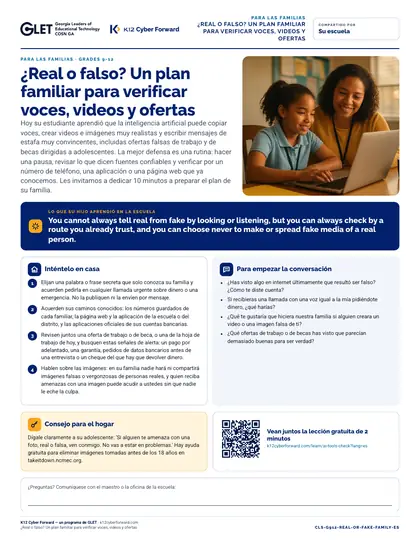
  • Family take-home sheet in English and Spanish (PDF + Word)

Learners will be able to

  • Describe how AI-made voices, videos, images and messages are used in scams and rumors, including fake family emergencies and fake job or scholarship offers aimed at teens
  • Use lateral reading (leaving the source and checking what trusted sources say) and verification by a known route to judge a claim or message
  • Sort messages and claims into Verify first, Red flag scam or Likely legitimate and justify each decision
  • Explain why creating or sharing deceptive media of a real person causes harm, can break school rules and in some cases the law, and name where to get help if someone threatens to share an image

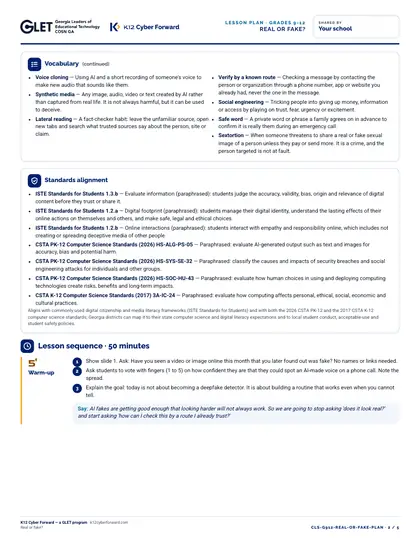
Standards alignment

  • ISTE Standards for Students 1.3.b
  • ISTE Standards for Students 1.2.a
  • ISTE Standards for Students 1.2.b
  • CSTA PK-12 Computer Science Standards (2026) HS-ALG-PS-05
  • CSTA PK-12 Computer Science Standards (2026) HS-SYS-SE-32
  • CSTA PK-12 Computer Science Standards (2026) HS-SOC-HU-43
  • CSTA K-12 Computer Science Standards (2017) 3A-IC-24

More pages

Files

Downloadable files
FileFormatLanguageSizeDownload
Teacher lesson plan (PDF)PDFEnglish209 KBDownload Teacher lesson plan (PDF)
Teacher lesson plan (editable Word)DOCXEnglish67 KBDownload Teacher lesson plan (editable Word)
Student worksheet 1: Verify first, Red flag scam or Likely legitimate? (PDF)PDFEnglish145 KBDownload Student worksheet 1: Verify first, Red flag scam or Likely legitimate? (PDF)
Student worksheet 2: My verification routine (PDF)PDFEnglish67 KBDownload Student worksheet 2: My verification routine (PDF)
Teacher answer key (PDF)PDFEnglish83 KBDownload Teacher answer key (PDF)
10 cut-apart scenario cards (PDF)PDFEnglish142 KBDownload 10 cut-apart scenario cards (PDF)
Slide outline with speaker notes (PDF)PDFEnglish97 KBDownload Slide outline with speaker notes (PDF)
Slides, 11 editable PowerPoint slidesPPTXEnglish81 KBDownload Slides, 11 editable PowerPoint slides
Family take-home sheet (English, PDF)PDFEnglish117 KBDownload Family take-home sheet (English, PDF)
Family take-home sheet (English, editable Word)DOCXEnglish62 KBDownload Family take-home sheet (English, editable Word)
Family take-home sheet (Español, PDF)PDFEspañol120 KBDownload Family take-home sheet (Español, PDF)
Family take-home sheet (Español, editable Word)DOCXEspañol62 KBDownload Family take-home sheet (Español, editable Word)

How to use and print

Print the lesson plan single-sided for the teacher. Print worksheets one per student (B/W is fine). Print scenario cards on card stock and cut along the dashed lines (4 per page). Family sheets go home in English or Spanish.

Participating districts download the same files co-branded with their own name and logo, and the QR codes count scans for their campaign reports.

Supports these rubric areas

  • Awareness & Training
  • Data Security
  • NIST CSF PR.AT
  • NIST CSF PR.DS

Part of

Cyber Academy course · Students, Teachers

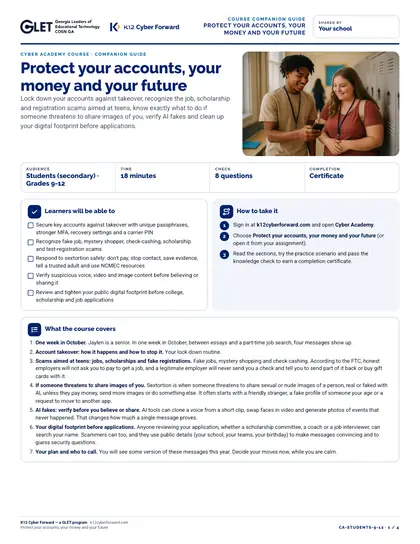
Protect your accounts, your money and your future

Lock down your accounts against takeover, recognize the job, scholarship and registration scams aimed at teens, know exactly what to do if someone threatens to share images of you, verify AI fakes and clean up your digital footprint before applications.
  • 18-minute course
  • Grades 9-12
  • English
  • Online course (sign in)

Classroom lesson · Teachers, Students

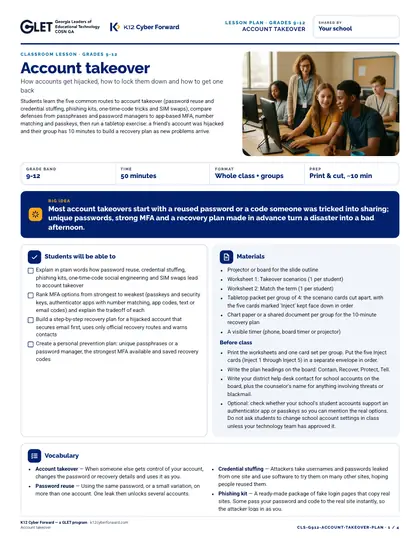
Account takeover

Students learn the five common routes to account takeover (password reuse and credential stuffing, phishing kits, one-time-code tricks and SIM swaps), compare defenses from passphrases and password managers to app-based MFA, number matching and passkeys, then run a tabletop exercise: a friend's account was hijacked and their group has 10 minutes to build a recovery plan as new problems arrive.

  • 50-minute lesson
  • Grades 9-12
  • English · Español
  • DOCX, PDF, PPTX

Cyber Academy course · Teachers

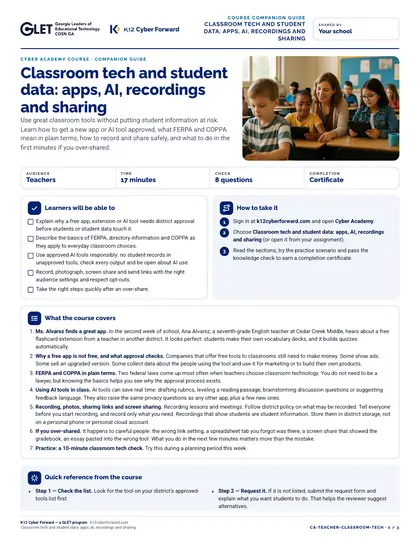
Classroom tech and student data: apps, AI, recordings and sharing

Use great classroom tools without putting student information at risk. Learn how to get a new app or AI tool approved, what FERPA and COPPA mean in plain terms, how to record and share safely, and what to do in the first minutes if you over-shared.

  • 17-minute course
  • English
  • Online course (sign in)

Flash-n-Flush one-pager · Students

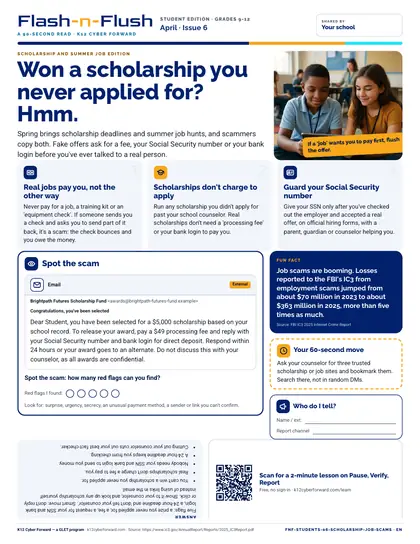
Won a scholarship you never applied for? Hmm.

April student edition for students in grades 9-12. Spring brings scholarship deadlines and summer job hunts, and scammers copy both.

  • 90-second read
  • Grades 9-12
  • English · Español
  • PDF

Sources