Classroom lesson · Grades 9-12

Account takeover (grades 9-12)

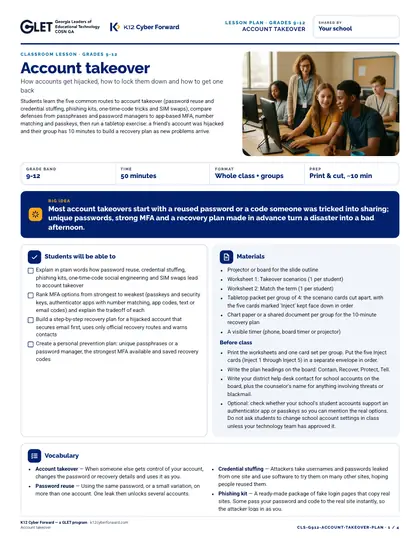
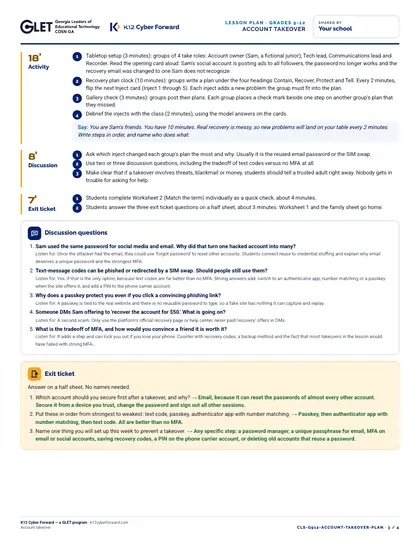
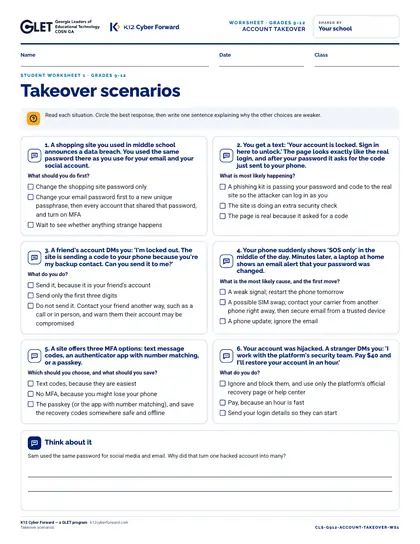
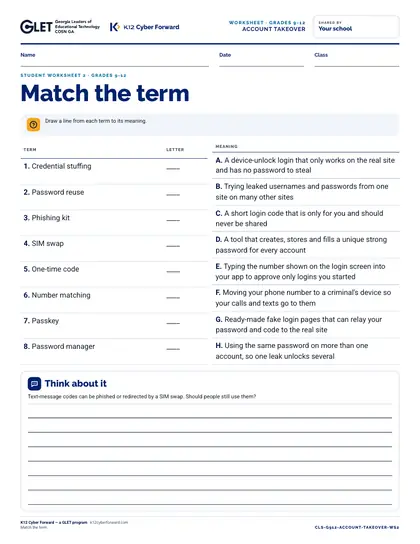
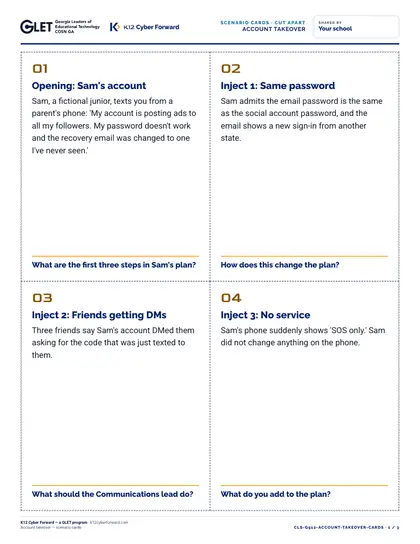
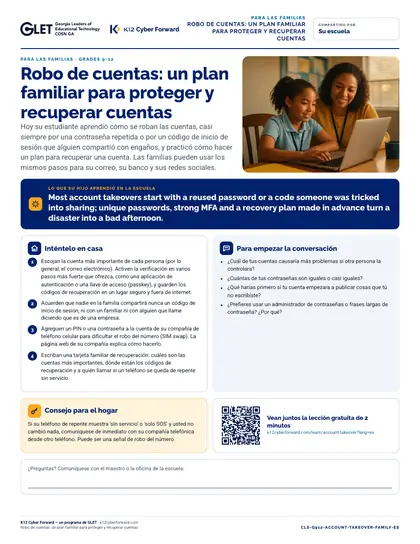
A ready-to-teach 50-minute lesson for grades 9-12: how accounts get hijacked, how to lock them down and how to get one back. Big idea: Most account takeovers start with a reused password or a code someone was tricked into sharing; unique passwords, strong MFA and a recovery plan made in advance turn a disaster into a bad afternoon. Includes a teacher lesson plan with scripts, student worksheets “Takeover scenarios” and “Match the term”, an answer key, 10 scenario cards, a 9-slide outline and a family sheet in English and Spanish.

Time to use
50-minute lesson
Audience
Teachers, Students
Grade band
Grades 9-12
Language
English and Spanish
Formats
DOCX, PDF, PPTX
First page preview of Account takeover (grades 9-12)

What's inside

  • Lesson plan: objectives, 5-part sequence with teacher scripts, discussion questions, exit ticket, differentiation (PDF + Word)
  • Worksheet 1: Takeover scenarios
  • Worksheet 2: Match the term
  • Teacher answer key for every worksheet, card and the exit ticket
  • 10 cut-apart scenario cards
  • 9-slide outline with speaker notes (PDF + editable PowerPoint)
  • Family take-home sheet in English and Spanish (PDF + Word)

Learners will be able to

  • Explain in plain words how password reuse, credential stuffing, phishing kits, one-time-code social engineering and SIM swaps lead to account takeover
  • Rank MFA options from strongest to weakest (passkeys and security keys, authenticator apps with number matching, app codes, text or email codes) and explain the tradeoff of each
  • Build a step-by-step recovery plan for a hijacked account that secures email first, uses only official recovery routes and warns contacts
  • Create a personal prevention plan: unique passphrases or a password manager, the strongest MFA available and saved recovery codes

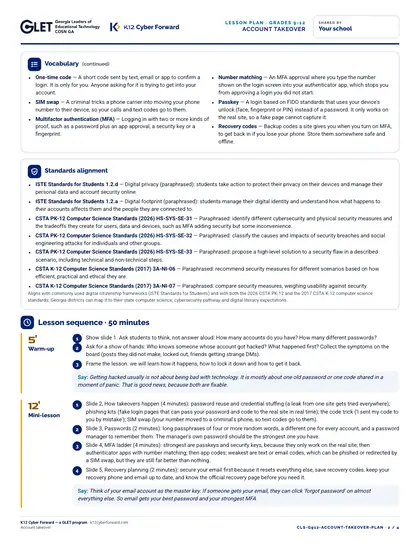
Standards alignment

  • ISTE Standards for Students 1.2.d
  • ISTE Standards for Students 1.2.a
  • CSTA PK-12 Computer Science Standards (2026) HS-SYS-SE-31
  • CSTA PK-12 Computer Science Standards (2026) HS-SYS-SE-32
  • CSTA PK-12 Computer Science Standards (2026) HS-SYS-SE-33
  • CSTA K-12 Computer Science Standards (2017) 3A-NI-06
  • CSTA K-12 Computer Science Standards (2017) 3A-NI-07

More pages

Files

Downloadable files
FileFormatLanguageSizeDownload
Teacher lesson plan (PDF)PDFEnglish211 KBDownload Teacher lesson plan (PDF)
Teacher lesson plan (editable Word)DOCXEnglish67 KBDownload Teacher lesson plan (editable Word)
Student worksheet 1: Takeover scenarios (PDF)PDFEnglish80 KBDownload Student worksheet 1: Takeover scenarios (PDF)
Student worksheet 2: Match the term (PDF)PDFEnglish64 KBDownload Student worksheet 2: Match the term (PDF)
Teacher answer key (PDF)PDFEnglish94 KBDownload Teacher answer key (PDF)
10 cut-apart scenario cards (PDF)PDFEnglish142 KBDownload 10 cut-apart scenario cards (PDF)
Slide outline with speaker notes (PDF)PDFEnglish98 KBDownload Slide outline with speaker notes (PDF)
Slides, 11 editable PowerPoint slidesPPTXEnglish81 KBDownload Slides, 11 editable PowerPoint slides
Family take-home sheet (English, PDF)PDFEnglish116 KBDownload Family take-home sheet (English, PDF)
Family take-home sheet (English, editable Word)DOCXEnglish61 KBDownload Family take-home sheet (English, editable Word)
Family take-home sheet (Español, PDF)PDFEspañol120 KBDownload Family take-home sheet (Español, PDF)
Family take-home sheet (Español, editable Word)DOCXEspañol62 KBDownload Family take-home sheet (Español, editable Word)

How to use and print

Print the lesson plan single-sided for the teacher. Print worksheets one per student (B/W is fine). Print scenario cards on card stock and cut along the dashed lines (4 per page). Family sheets go home in English or Spanish.

Participating districts download the same files co-branded with their own name and logo, and the QR codes count scans for their campaign reports.

Supports these rubric areas

  • Awareness & Training
  • Identity Management, Authentication, and Access Control
  • NIST CSF PR.AT
  • NIST CSF PR.AA

Part of

Cyber Academy course · Students, Teachers

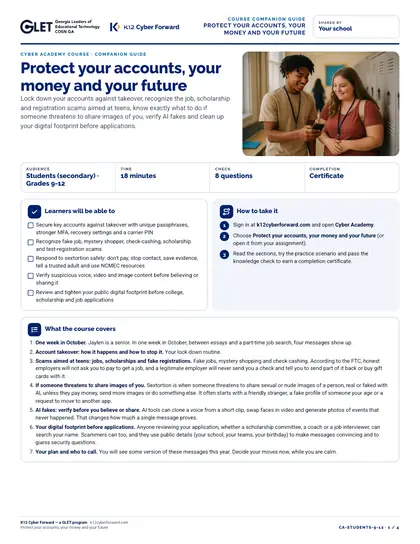
Protect your accounts, your money and your future

Lock down your accounts against takeover, recognize the job, scholarship and registration scams aimed at teens, know exactly what to do if someone threatens to share images of you, verify AI fakes and clean up your digital footprint before applications.
  • 18-minute course
  • Grades 9-12
  • English
  • Online course (sign in)

Classroom lesson · Teachers, Students

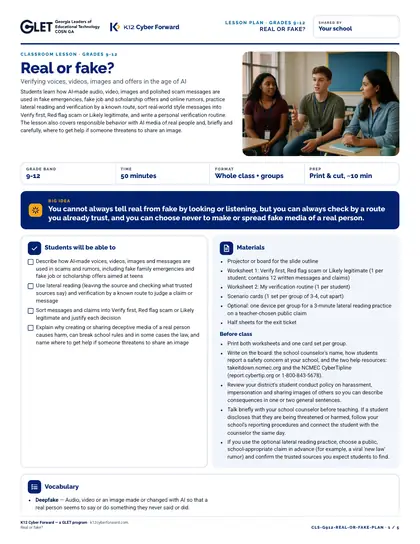
Real or fake?

Students learn how AI-made audio, video, images and polished scam messages are used in fake emergencies, fake job and scholarship offers and online rumors, practice lateral reading and verification by a known route, sort real-world style messages into Verify first, Red flag scam or Likely legitimate, and write a personal verification routine. The lesson also covers responsible behavior with AI media of real people and, briefly and carefully, where to get help if someone threatens to share an image.

  • 50-minute lesson
  • Grades 9-12
  • English · Español
  • DOCX, PDF, PPTX

Flash-n-Flush one-pager · Students

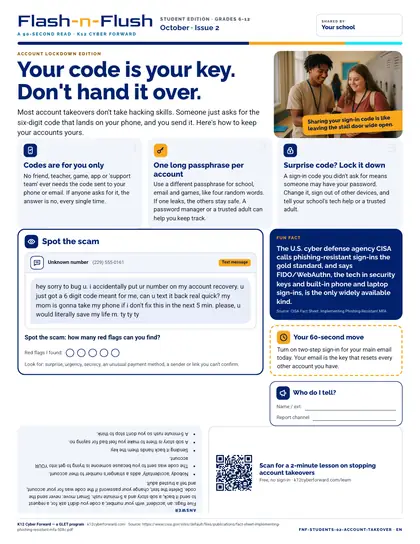
Your code is your key. Don't hand it over.

October student edition for students in grades 6-12. Most account takeovers don't take hacking skills.

  • 90-second read
  • Grades 6-12
  • English · Español
  • PDF

Flash-n-Flush one-pager · All staff

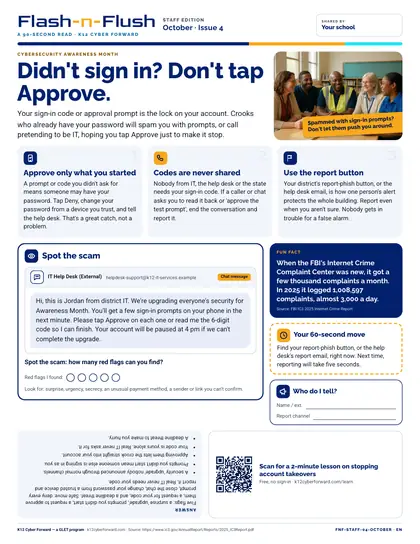
Didn't sign in? Don't tap Approve.

October staff edition for all school staff. Your sign-in code or approval prompt is the lock on your account.

  • 90-second read
  • English
  • PDF

Sources