Cyber Academy course

Classroom tech and student data: apps, AI, recordings and sharing

A 17-minute Cyber Academy course for teachers. Use great classroom tools without putting student information at risk. Learn how to get a new app or AI tool approved, what FERPA and COPPA mean in plain terms, how to record and share safely, and what to do in the first minutes if you over-shared. 7 sections, 8-question knowledge check, a branching practice scenario and a completion certificate. The companion guide gives managers the outline, a huddle plan and the answer key.

Time to use
17-minute course
Audience
Teachers
Language
English
Formats
PDF
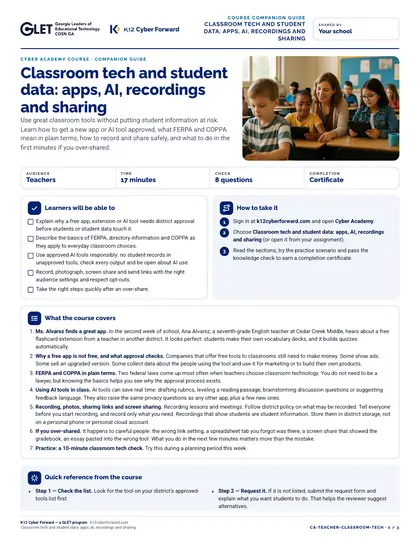
First page preview of Classroom tech and student data: apps, AI, recordings and sharing

What's inside

  • Section: Ms. Alvarez finds a great app
  • Section: Why a free app is not free, and what approval checks
  • Section: FERPA and COPPA in plain terms
  • Section: Using AI tools in class
  • Section: Recording, photos, sharing links and screen sharing
  • Section: If you over-shared
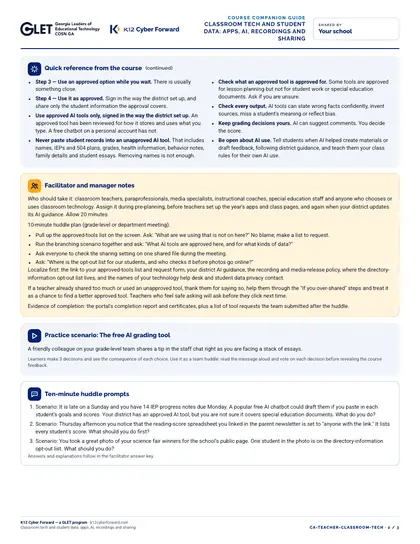
  • Section: Practice: a 10-minute classroom tech check
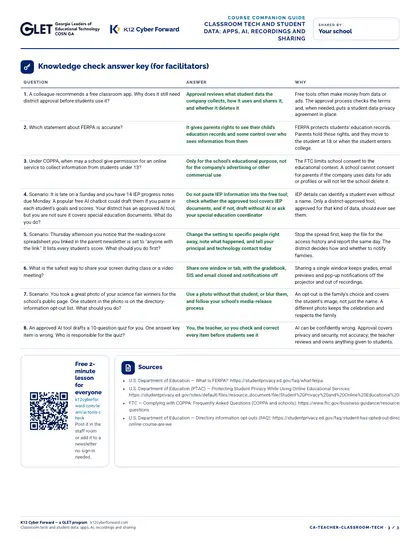
  • 8-question knowledge check with explanations
  • Branching scenario: The free AI grading tool
  • Completion certificate (named accounts)
  • Printable companion guide with facilitator notes and answer key

Learners will be able to

  • Explain why a free app, extension or AI tool needs district approval before students or student data touch it.
  • Describe the basics of FERPA, directory information and COPPA as they apply to everyday classroom choices.
  • Use approved AI tools responsibly: no student records in unapproved tools, check every output and be open about AI use.
  • Record, photograph, screen share and send links with the right audience settings and respect opt-outs.
  • Take the right steps quickly after an over-share.

More pages

How to use and print

The course runs in Cyber Academy; this companion guide prints double-sided on Letter for managers and facilitators.

Participating districts download the same files co-branded with their own name and logo, and the QR codes count scans for their campaign reports.

Supports these rubric areas

  • Awareness & Training
  • Data Security
  • Cybersecurity Supply Chain Risk Management
  • Policy
  • NIST CSF PR.AT
  • NIST CSF PR.DS
  • NIST CSF GV.SC
  • NIST CSF GV.PO

Part of

Classroom lesson · Teachers, Students

Real or fake?

Students learn how AI-made audio, video, images and polished scam messages are used in fake emergencies, fake job and scholarship offers and online rumors, practice lateral reading and verification by a known route, sort real-world style messages into Verify first, Red flag scam or Likely legitimate, and write a personal verification routine. The lesson also covers responsible behavior with AI media of real people and, briefly and carefully, where to get help if someone threatens to share an image.
  • 50-minute lesson
  • Grades 9-12
  • English · Español
  • DOCX, PDF, PPTX

Cyber Academy course · Students, Teachers

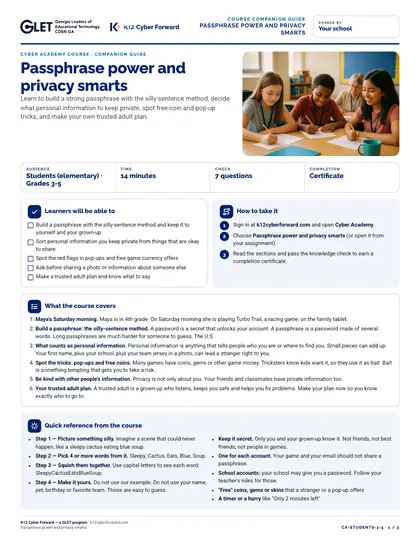
Passphrase power and privacy smarts

Learn to build a strong passphrase with the silly-sentence method, decide what personal information to keep private, spot free-coin and pop-up tricks, and make your own trusted adult plan.

  • 14-minute course
  • Grades 3-5
  • English
  • Online course (sign in)

Cyber Academy course · Students, Teachers

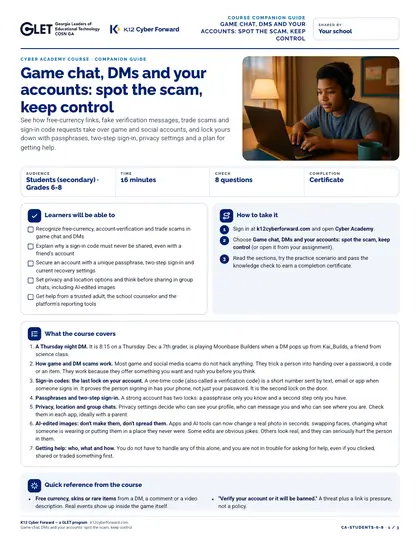
Game chat, DMs and your accounts: spot the scam, keep control

See how free-currency links, fake verification messages, trade scams and sign-in code requests take over game and social accounts, and lock yours down with passphrases, two-step sign-in, privacy settings and a plan for getting help.

  • 16-minute course
  • Grades 6-8
  • English
  • Online course (sign in)

Cyber Academy course · Students, Teachers

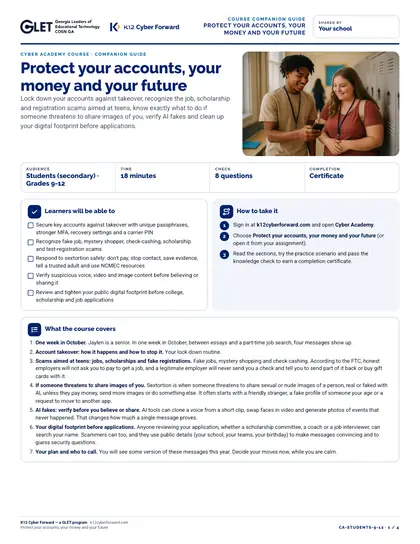
Protect your accounts, your money and your future

Lock down your accounts against takeover, recognize the job, scholarship and registration scams aimed at teens, know exactly what to do if someone threatens to share images of you, verify AI fakes and clean up your digital footprint before applications.

  • 18-minute course
  • Grades 9-12
  • English
  • Online course (sign in)

Sources