Classroom lesson · Grades 3-5

Tricks and traps online (grades 3-5)

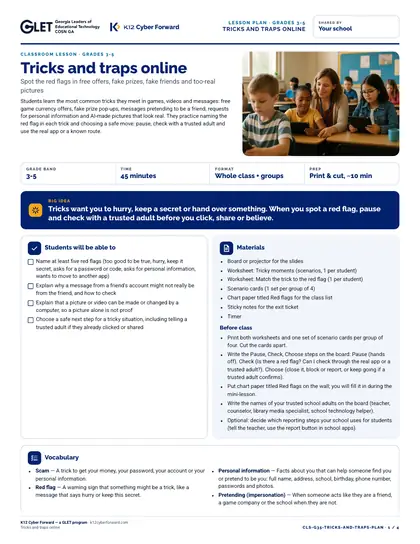
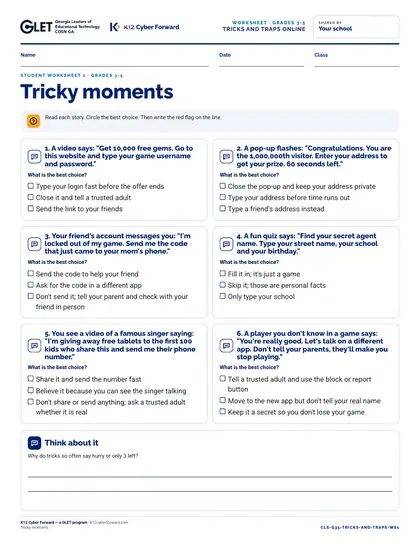
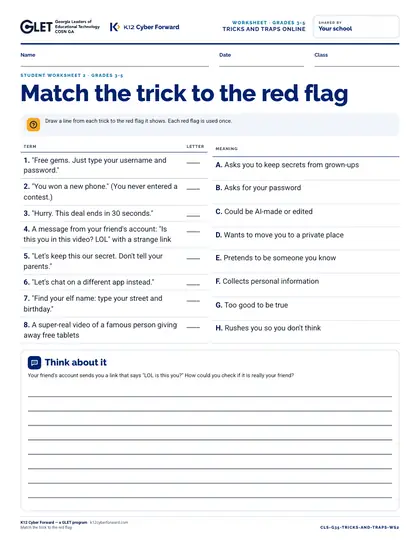
A ready-to-teach 45-minute lesson for grades 3-5: spot the red flags in free offers, fake prizes, fake friends and too-real pictures. Big idea: Tricks want you to hurry, keep a secret or hand over something. When you spot a red flag, pause and check with a trusted adult before you click, share or believe. Includes a teacher lesson plan with scripts, student worksheets “Tricky moments” and “Match the trick to the red flag”, an answer key, 12 scenario cards, a 8-slide outline and a family sheet in English and Spanish.

Time to use
45-minute lesson
Audience
Teachers, Students
Grade band
Grades 3-5
Language
English and Spanish
Formats
DOCX, PDF, PPTX
First page preview of Tricks and traps online (grades 3-5)

What's inside

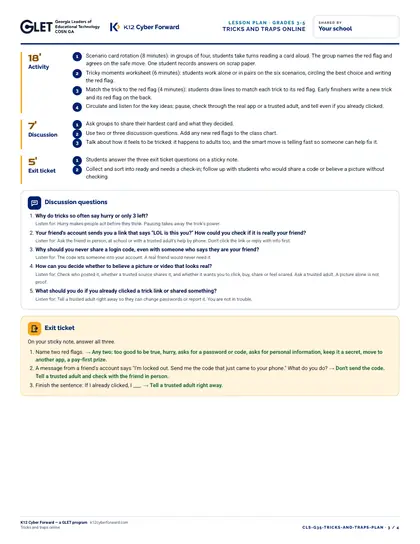
  • Lesson plan: objectives, 5-part sequence with teacher scripts, discussion questions, exit ticket, differentiation (PDF + Word)
  • Worksheet 1: Tricky moments
  • Worksheet 2: Match the trick to the red flag
  • Teacher answer key for every worksheet, card and the exit ticket
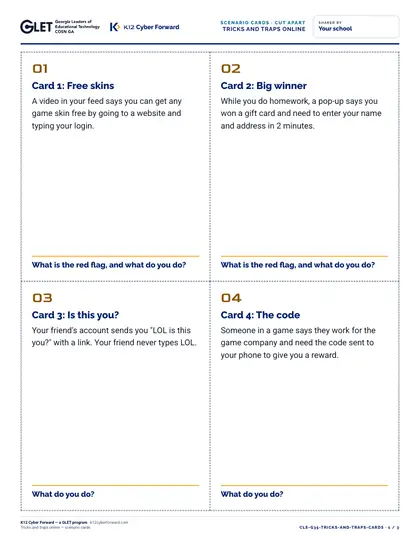
  • 12 cut-apart scenario cards
  • 8-slide outline with speaker notes (PDF + editable PowerPoint)
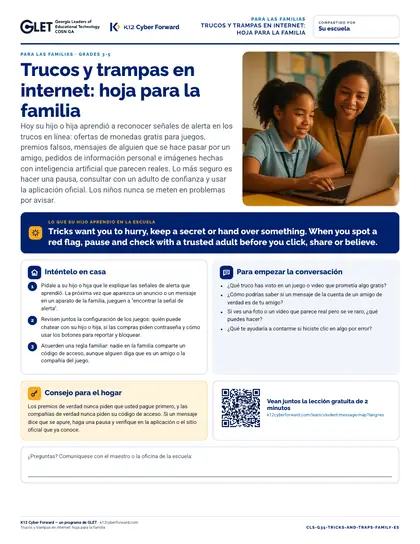
  • Family take-home sheet in English and Spanish (PDF + Word)

Learners will be able to

  • Name at least five red flags (too good to be true, hurry, keep it secret, asks for a password or code, asks for personal information, wants to move to another app)
  • Explain why a message from a friend's account might not really be from the friend, and how to check
  • Explain that a picture or video can be made or changed by a computer, so a picture alone is not proof
  • Choose a safe next step for a tricky situation, including telling a trusted adult if they already clicked or shared

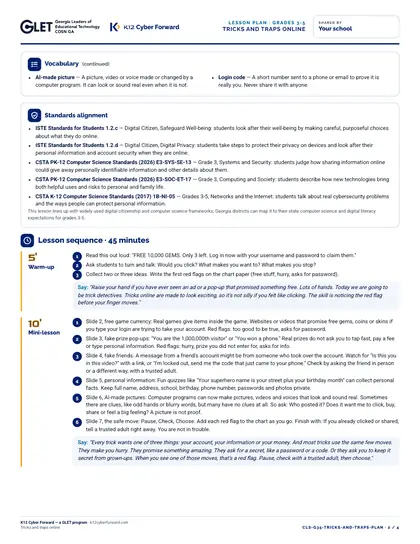
Standards alignment

  • ISTE Standards for Students 1.2.c
  • ISTE Standards for Students 1.2.d
  • CSTA PK-12 Computer Science Standards (2026) E3-SYS-SE-13
  • CSTA PK-12 Computer Science Standards (2026) E3-SOC-ET-17
  • CSTA K-12 Computer Science Standards (2017) 1B-NI-05

More pages

Files

Downloadable files
FileFormatLanguageSizeDownload
Teacher lesson plan (PDF)PDFEnglish207 KBDownload Teacher lesson plan (PDF)
Teacher lesson plan (editable Word)DOCXEnglish66 KBDownload Teacher lesson plan (editable Word)
Student worksheet 1: Tricky moments (PDF)PDFEnglish78 KBDownload Student worksheet 1: Tricky moments (PDF)
Student worksheet 2: Match the trick to the red flag (PDF)PDFEnglish65 KBDownload Student worksheet 2: Match the trick to the red flag (PDF)
Teacher answer key (PDF)PDFEnglish93 KBDownload Teacher answer key (PDF)
12 cut-apart scenario cards (PDF)PDFEnglish143 KBDownload 12 cut-apart scenario cards (PDF)
Slide outline with speaker notes (PDF)PDFEnglish87 KBDownload Slide outline with speaker notes (PDF)
Slides, 10 editable PowerPoint slidesPPTXEnglish78 KBDownload Slides, 10 editable PowerPoint slides
Family take-home sheet (English, PDF)PDFEnglish115 KBDownload Family take-home sheet (English, PDF)
Family take-home sheet (English, editable Word)DOCXEnglish61 KBDownload Family take-home sheet (English, editable Word)
Family take-home sheet (Español, PDF)PDFEspañol118 KBDownload Family take-home sheet (Español, PDF)
Family take-home sheet (Español, editable Word)DOCXEspañol61 KBDownload Family take-home sheet (Español, editable Word)

How to use and print

Print the lesson plan single-sided for the teacher. Print worksheets one per student (B/W is fine). Print scenario cards on card stock and cut along the dashed lines (4 per page). Family sheets go home in English or Spanish.

Participating districts download the same files co-branded with their own name and logo, and the QR codes count scans for their campaign reports.

Supports these rubric areas

  • Awareness & Training
  • Data Security
  • Identity Management, Authentication, and Access Control
  • NIST CSF PR.AT
  • NIST CSF PR.DS
  • NIST CSF PR.AA

Part of

Cyber Academy course · Students, Teachers

Passphrase power and privacy smarts

Learn to build a strong passphrase with the silly-sentence method, decide what personal information to keep private, spot free-coin and pop-up tricks, and make your own trusted adult plan.
  • 14-minute course
  • Grades 3-5
  • English
  • Online course (sign in)

Classroom lesson · Teachers, Students

Passphrase power

Students play a password guessing race to see why every extra word makes a password much harder to guess, learn the silly-sentence and random-word methods for building a passphrase, practice building one (practice only, never a real password), and agree never to reuse passwords or share them except with a trusted adult.

  • 40-minute lesson
  • Grades 3-5
  • English · Español
  • DOCX, PDF, PPTX

Cyber Academy course · Students, Teachers

Game chat, DMs and your accounts: spot the scam, keep control

See how free-currency links, fake verification messages, trade scams and sign-in code requests take over game and social accounts, and lock yours down with passphrases, two-step sign-in, privacy settings and a plan for getting help.

  • 16-minute course
  • Grades 6-8
  • English
  • Online course (sign in)

Cyber Academy course · Students, Teachers

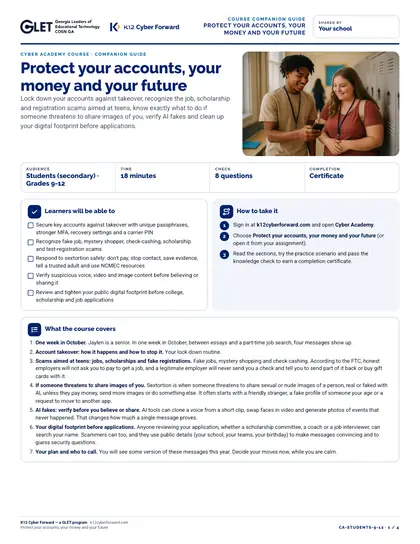
Protect your accounts, your money and your future

Lock down your accounts against takeover, recognize the job, scholarship and registration scams aimed at teens, know exactly what to do if someone threatens to share images of you, verify AI fakes and clean up your digital footprint before applications.

  • 18-minute course
  • Grades 9-12
  • English
  • Online course (sign in)

Sources