Classroom lesson · Grades K-2

My password is mine (grades K-2)

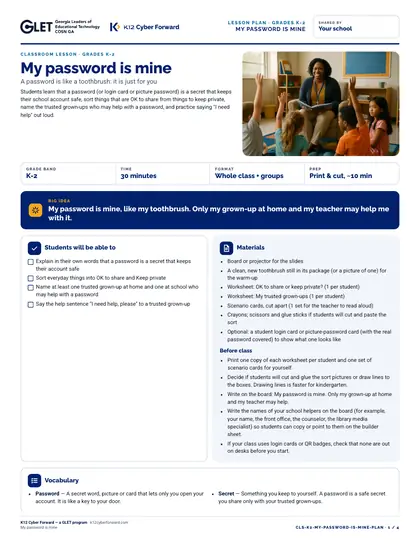
A ready-to-teach 30-minute lesson for grades K-2: a password is like a toothbrush: it is just for you. Big idea: My password is mine, like my toothbrush. Only my grown-up at home and my teacher may help me with it. Includes a teacher lesson plan with scripts, student worksheets “OK to share or keep private?” and “My trusted grown-ups”, an answer key, 10 scenario cards, a 8-slide outline and a family sheet in English and Spanish.

Time to use
30-minute lesson
Audience
Teachers, Students
Grade band
Grades K-2
Language
English and Spanish
Formats
DOCX, PDF, PPTX
First page preview of My password is mine (grades K-2)

What's inside

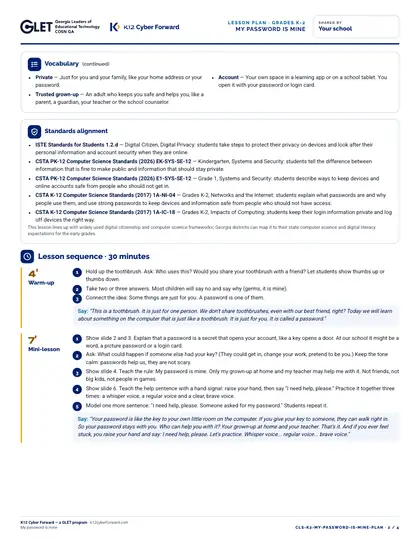
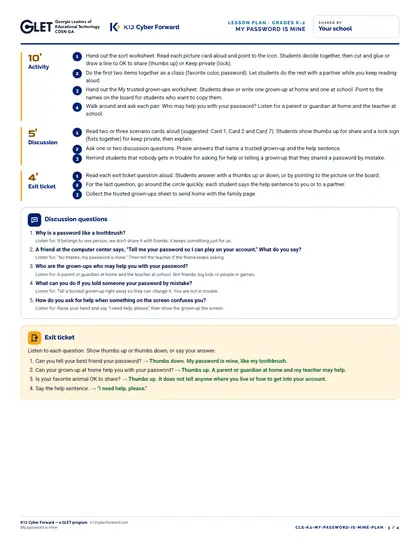
  • Lesson plan: objectives, 5-part sequence with teacher scripts, discussion questions, exit ticket, differentiation (PDF + Word)
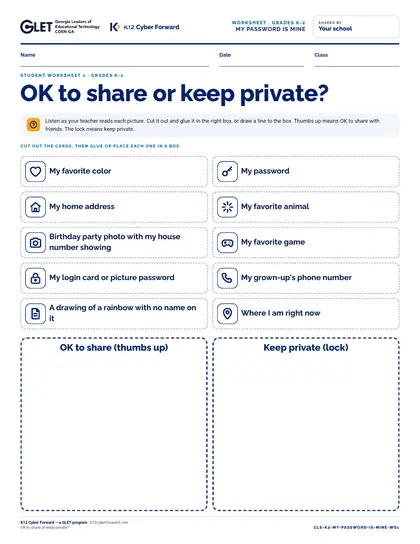
  • Worksheet 1: OK to share or keep private?
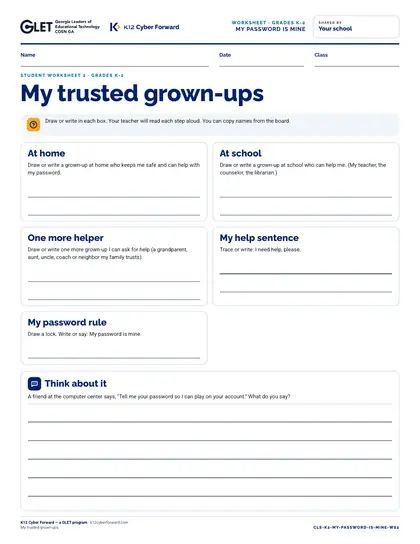
  • Worksheet 2: My trusted grown-ups
  • Teacher answer key for every worksheet, card and the exit ticket
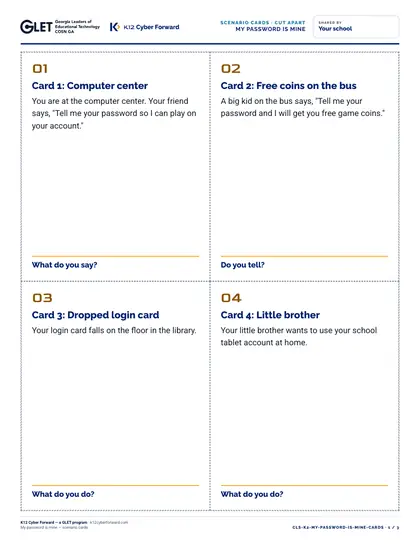
  • 10 cut-apart scenario cards
  • 8-slide outline with speaker notes (PDF + editable PowerPoint)
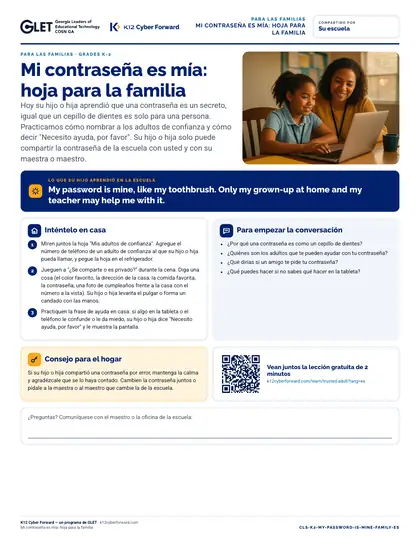
  • Family take-home sheet in English and Spanish (PDF + Word)

Learners will be able to

  • Explain in their own words that a password is a secret that keeps their account safe
  • Sort everyday things into OK to share and Keep private
  • Name at least one trusted grown-up at home and one at school who may help with a password
  • Say the help sentence "I need help, please" to a trusted grown-up

Standards alignment

  • ISTE Standards for Students 1.2.d
  • CSTA PK-12 Computer Science Standards (2026) EK-SYS-SE-12
  • CSTA PK-12 Computer Science Standards (2026) E1-SYS-SE-12
  • CSTA K-12 Computer Science Standards (2017) 1A-NI-04
  • CSTA K-12 Computer Science Standards (2017) 1A-IC-18

More pages

Files

Downloadable files
FileFormatLanguageSizeDownload
Teacher lesson plan (PDF)PDFEnglish199 KBDownload Teacher lesson plan (PDF)
Teacher lesson plan (editable Word)DOCXEnglish65 KBDownload Teacher lesson plan (editable Word)
Student worksheet 1: OK to share or keep private? (PDF)PDFEnglish135 KBDownload Student worksheet 1: OK to share or keep private? (PDF)
Student worksheet 2: My trusted grown-ups (PDF)PDFEnglish64 KBDownload Student worksheet 2: My trusted grown-ups (PDF)
Teacher answer key (PDF)PDFEnglish74 KBDownload Teacher answer key (PDF)
10 cut-apart scenario cards (PDF)PDFEnglish141 KBDownload 10 cut-apart scenario cards (PDF)
Slide outline with speaker notes (PDF)PDFEnglish87 KBDownload Slide outline with speaker notes (PDF)
Slides, 10 editable PowerPoint slidesPPTXEnglish78 KBDownload Slides, 10 editable PowerPoint slides
Family take-home sheet (English, PDF)PDFEnglish115 KBDownload Family take-home sheet (English, PDF)
Family take-home sheet (English, editable Word)DOCXEnglish61 KBDownload Family take-home sheet (English, editable Word)
Family take-home sheet (Español, PDF)PDFEspañol117 KBDownload Family take-home sheet (Español, PDF)
Family take-home sheet (Español, editable Word)DOCXEspañol61 KBDownload Family take-home sheet (Español, editable Word)

How to use and print

Print the lesson plan single-sided for the teacher. Print worksheets one per student (B/W is fine). Print scenario cards on card stock and cut along the dashed lines (4 per page). Family sheets go home in English or Spanish.

Participating districts download the same files co-branded with their own name and logo, and the QR codes count scans for their campaign reports.

Supports these rubric areas

  • Awareness & Training
  • Identity Management, Authentication, and Access Control
  • Data Security
  • NIST CSF PR.AT
  • NIST CSF PR.AA
  • NIST CSF PR.DS

Part of

Classroom lesson · Teachers, Students

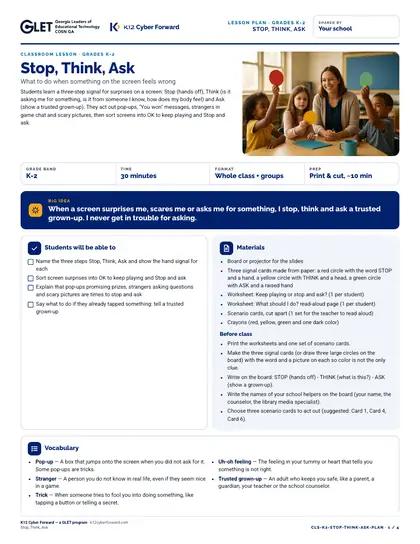
Stop, Think, Ask

Students learn a three-step signal for surprises on a screen: Stop (hands off), Think (is it asking me for something, is it from someone I know, how does my body feel) and Ask (show a trusted grown-up). They act out pop-ups, "You won" messages, strangers in game chat and scary pictures, then sort screens into OK to keep playing and Stop and ask.
  • 30-minute lesson
  • Grades K-2
  • English · Español
  • DOCX, PDF, PPTX

Cyber Academy course · Students, Teachers

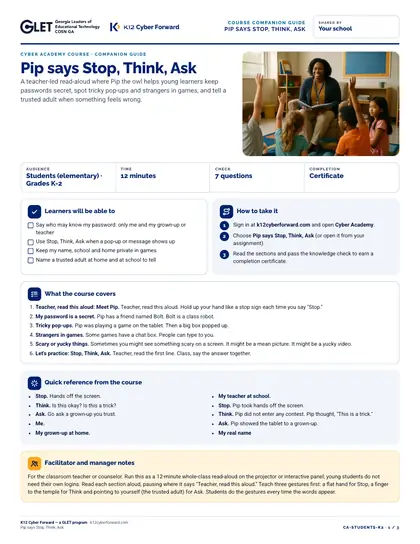
Pip says Stop, Think, Ask

A teacher-led read-aloud where Pip the owl helps young learners keep passwords secret, spot tricky pop-ups and strangers in games, and tell a trusted adult when something feels wrong.

  • 12-minute course
  • Grades K-2
  • English
  • Online course (sign in)

Flash-n-Flush one-pager · Students

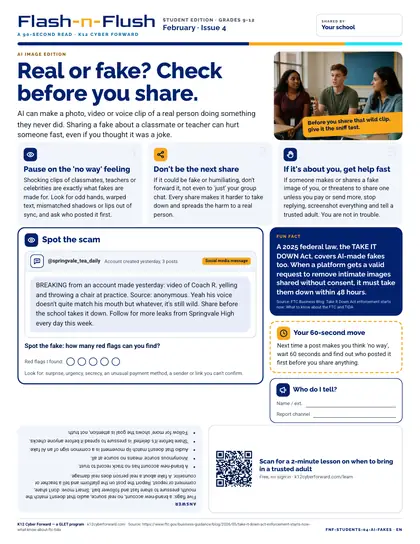
Real or fake? Check before you share.

February student edition for students in grades 9-12. AI can make a photo, video or voice clip of a real person doing something they never did.

  • 90-second read
  • Grades 9-12
  • English · Español
  • PDF

Cyber Academy course · Students, Teachers

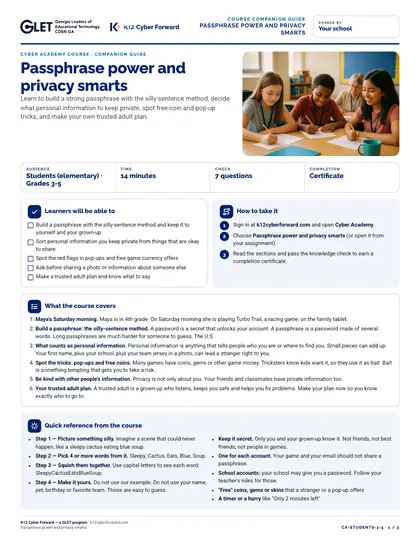
Passphrase power and privacy smarts

Learn to build a strong passphrase with the silly-sentence method, decide what personal information to keep private, spot free-coin and pop-up tricks, and make your own trusted adult plan.

  • 14-minute course
  • Grades 3-5
  • English
  • Online course (sign in)

Sources